How to Spot a Phishing Email
Phishing emails have a reputation for being obvious. You might picture a badly written message from a mysterious prince offering you millions of dollars, filled with spelling mistakes and suspicious links.
By Nova West on September 11, 2026
Getty Images
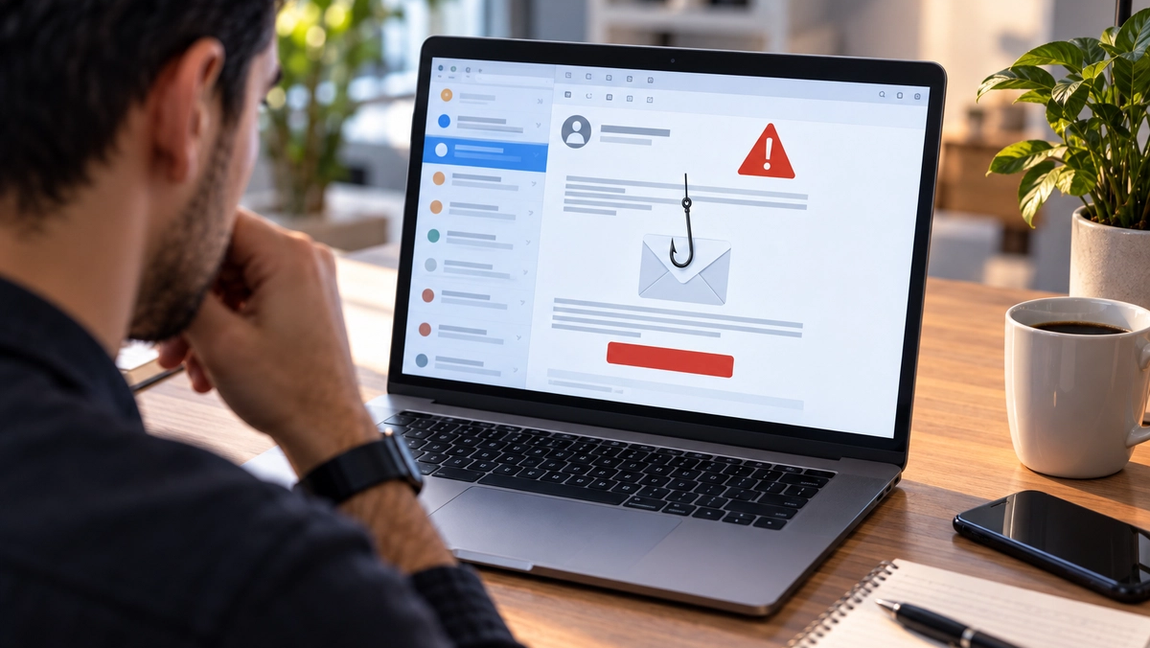
Phishing emails have a reputation for being obvious.
You might picture a badly written message from a mysterious prince offering you millions of dollars, filled with spelling mistakes and suspicious links.
Those emails still exist. But modern phishing can be much harder to recognize.
A convincing phishing email might look like a delivery notification, a password reset request, an invoice from a company you know, or even a message that appears to come from your boss. Some attacks copy legitimate emails so closely that the difference comes down to a single character in the sender’s address.
The goal is usually simple: make you act before you think.
Fortunately, phishing emails tend to leave clues. You just need to know where to look.
Start with the sender, not the name
The name displayed at the top of an email isn’t necessarily who actually sent it.
An attacker can make the sender name appear as “Netflix,” “Microsoft Support,” “Your Bank,” or even the name of someone you know.
The actual email address matters much more.
Imagine an email that appears to come from your bank, but when you inspect the sender, the address is something like:
support@yourbank-security247.com
At a glance, that might look plausible. But the important part is the domain after the @ symbol.
Attackers often register domains that resemble legitimate ones. They may add words, swap letters, use unusual endings, or create addresses that are visually similar to the real thing.
If an email involves money, passwords, account security, or sensitive information, take a few seconds to inspect the complete sender address.
Those few seconds can make a huge difference.
Be suspicious when an email creates urgency
Phishing works best when you don’t have time to think.
That’s why attackers love urgency.
“Your account will be suspended in 24 hours.”
“Payment failed. Update your information immediately.”
“Someone logged into your account.”
“Your package cannot be delivered.”
“Your CEO needs these gift cards within the hour.”
The specific story changes, but the psychological trick is the same.
Something bad is supposedly about to happen unless you act right now.
Urgency doesn’t automatically mean an email is fake. Legitimate companies sometimes send genuinely urgent messages. But urgency should be a signal to slow down rather than speed up.
The more an email pressures you to act immediately, the more carefully you should examine it.
Don’t automatically trust the link
A button saying “Verify Account” doesn’t tell you where that button actually leads.
The visible text and the destination can be completely different.
On a computer, you can often hover your mouse over a link without clicking it to see the destination. On mobile devices, you may be able to press and hold the link to preview it, though exactly how this works depends on the device and app.
Look closely at the real domain.
An attacker might create something like:
paypal.account-security-example.com
The presence of “paypal” doesn’t make that a PayPal website. The actual registered domain in that example is account-security-example.com.
This is one of the most useful phishing habits you can develop: stop looking for familiar words somewhere in a URL and start paying attention to the actual domain.
And if you’re uncertain, don’t use the email link at all.
Open your browser or the company’s official app and access your account directly.
Watch for unexpected attachments
Attachments are another common phishing tool.
An email may claim to contain an invoice, receipt, shipping document, résumé, contract, or financial report.
Opening the file could expose you to malicious software or direct you toward another stage of the scam.
The important word here is unexpected.
If your accountant sends you a document you’ve been discussing all week, that’s very different from receiving a random “URGENT INVOICE” from someone you’ve never heard of.
Even familiar senders aren’t an absolute guarantee. Email accounts can be compromised, allowing attackers to send malicious messages from legitimate addresses.
Before opening an unexpected attachment, ask yourself whether you were actually expecting the file.
If the answer is no, verify it another way.
Bad grammar isn’t the giveaway it used to be
“Look for spelling mistakes” used to be standard phishing advice.
It’s still useful, but it shouldn’t be your main defense.
Some phishing emails contain terrible grammar, strange formatting, or unnatural language. Those are absolutely warning signs.
But attackers now have access to better translation software, professional templates, leaked corporate communications, and AI writing tools. Producing a polished email is easier than ever.
A phishing email can have perfect grammar.
Instead, look for inconsistencies.
Does the tone sound unusual for the person supposedly writing to you? Is someone asking for something they normally wouldn’t request by email? Is a company using an unfamiliar process? Does the branding look right but something about the message feel slightly off?
Context can reveal what grammar doesn’t.
Be extremely careful with passwords and payments
Certain requests deserve an automatic increase in suspicion.
Passwords are one.
Legitimate companies may send you a password reset link if you requested one. But an unexpected email telling you to “confirm” your password should immediately raise questions.
Payments are another.
Phishing attacks frequently involve fake invoices, changed bank details, gift cards, cryptocurrency payments, or requests to urgently transfer money.
Workplaces are especially vulnerable to impersonation attacks.
An employee receives what appears to be a message from an executive saying they’re stuck in a meeting and urgently need a payment made. The employee wants to be helpful, acts quickly, and discovers later that the executive never sent it.
Whenever money is involved, verification is worth the inconvenience.
Call the person using a number you already know. Message them through your normal communication channel. Confirm payment details independently.
Don’t use contact information provided inside the suspicious email itself.
What to do when you’re not sure
You don’t have to determine with absolute certainty whether every suspicious email is phishing.
Sometimes the safest response is simply not to interact with it.
If an email says there’s a problem with your Amazon order, open Amazon yourself and check your orders. If your bank supposedly needs your attention, use the bank’s official app. If a coworker sends an unusual financial request, contact them separately.
This bypasses one of phishing’s biggest advantages: controlling where you go next.
If you’ve already clicked a suspicious link but haven’t entered anything, close the page. If you’ve entered a password, change it immediately using the legitimate website and enable multi-factor authentication if available. If you’ve entered financial information, contact the relevant bank or payment provider promptly.
The best phishing detector is a moment of hesitation
Phishing attacks don’t usually succeed because people are careless or unintelligent.
They succeed because people are busy.
You’re answering emails between meetings. You’re checking your phone while making dinner. A delivery notification arrives when you’re genuinely expecting a package. A message from your “boss” appears while you’re trying to finish three other things.
Attackers take advantage of those moments.
That’s why one of the strongest defenses against phishing isn’t a complicated cybersecurity tool.
It’s a pause.
Check the sender. Inspect the link. Question unexpected attachments. Be skeptical of urgency. Verify unusual requests through another channel.
You don’t need to become suspicious of every email you receive.
You just need to become slightly harder to rush.